
Supplier price tracking for restaurants, in forints
On every approved invoice Zuppa compares each ingredient’s price with earlier ones. If it has gone up past your threshold, it flags it, and the weekly report shows in forints what the rise cost you that week.
How price tracking works today
Price rises come as percentages, and you can’t tell how much they matter.
In forints: the week’s quantity times the increase.
After a rise, nobody rechecks the dish price.
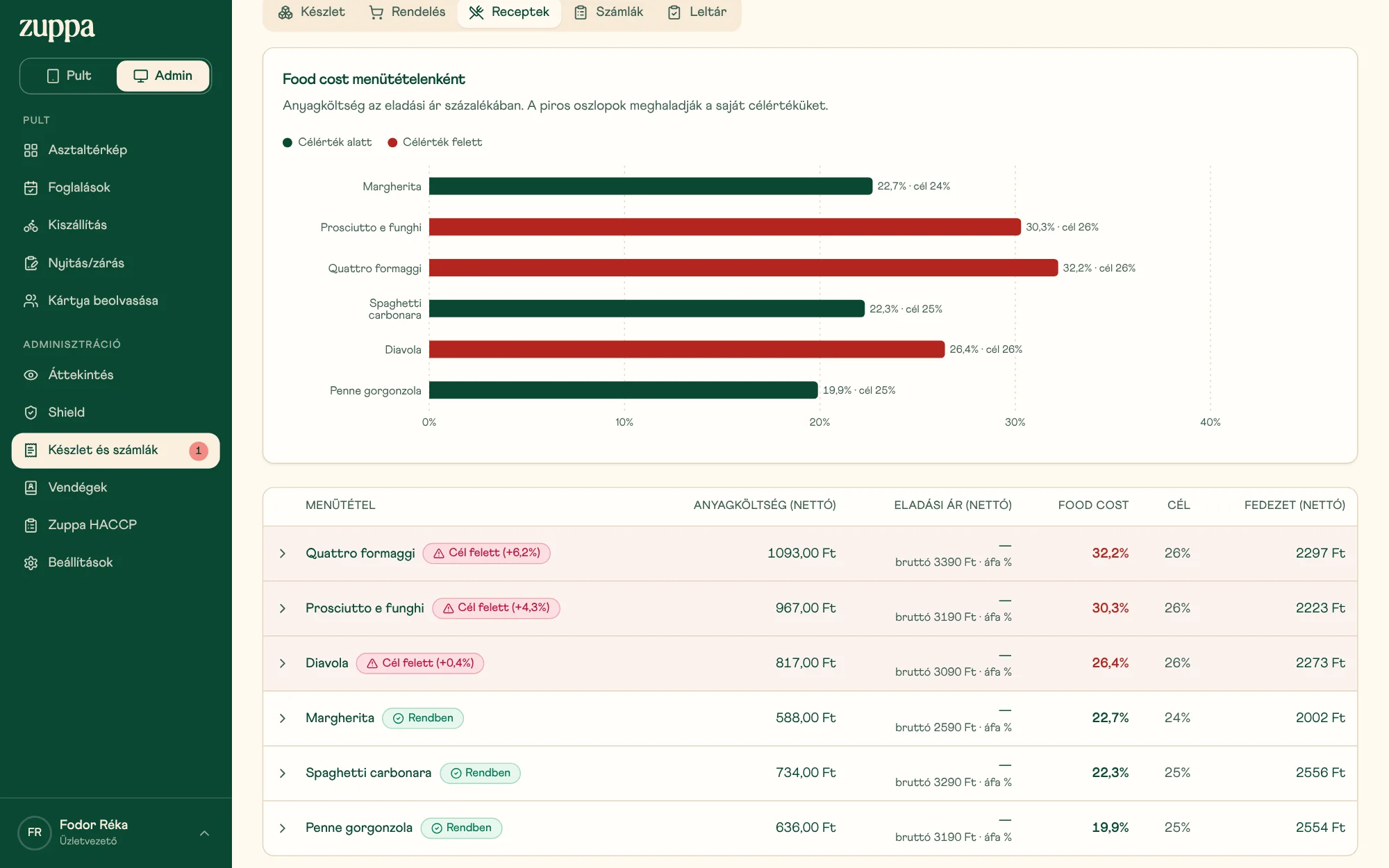
You see which dishes’ food cost has gone over target.
The supplier raises prices slowly, bit by bit.
The price trend per ingredient shows the creep too.
How it watches prices
- You approve the invoiceZuppa compares the unit price with earlier ones and flags any rise past your threshold on the Stock page.
- At the end of the week, in forintsThe weekly report lists each item: the week’s quantity times the increase, against the previous four weeks’ price. Biggest first.
- You check the dishesThe affected dishes’ food cost uses the latest price, so you see where to change a price or a recipe.
What price watch does
- Threshold in percentYou decide what size of rise counts.
- Price rises in forints, per itemYou see which price really hurts and which is just noise.
- Price trend per ingredientSlow creep shows up too.
- Food cost against your target30% by default; you set the target.
Works today
- Price alert when you approve an invoice
- Price rises in forints in the weekly report
- Price trend chart per ingredient
- Food cost against your target
What it doesn’t do
- It doesn’t negotiate with suppliers or hunt for cheaper offers
- It doesn’t touch your menu prices: it suggests a price, you decide
Part of Shield weekly report
Price watch is part of the Shield weekly report, but the alert itself arrives when you approve the invoice, in the Inventory and food cost module.
What flows through on its own
Frequently asked questions
How does Zuppa know something went up?
From approved supplier invoices. On every invoice it compares the unit price with the ingredient’s earlier prices.
How does it calculate the rise in forints?
It multiplies the quantity bought that week by the increase, against the previous four weeks’ price. That shows what the rise meant for that week.
When does it alert me?
When you approve the invoice, if the rise is above your threshold. The weekly report lists the bigger items, nothing under HUF 10,000.
Do I need the Zuppa POS for it?
No. Price watch works from your invoices, alongside any till.
Shall we start?
- A 20-minute call
We look at what you use now, and what is missing.
- We set it up with you
We load your menu and recipes, set up HACCP and train your team.
- Your numbers, every week
You take photos and approve them. Zuppa does the maths and puts the week together.