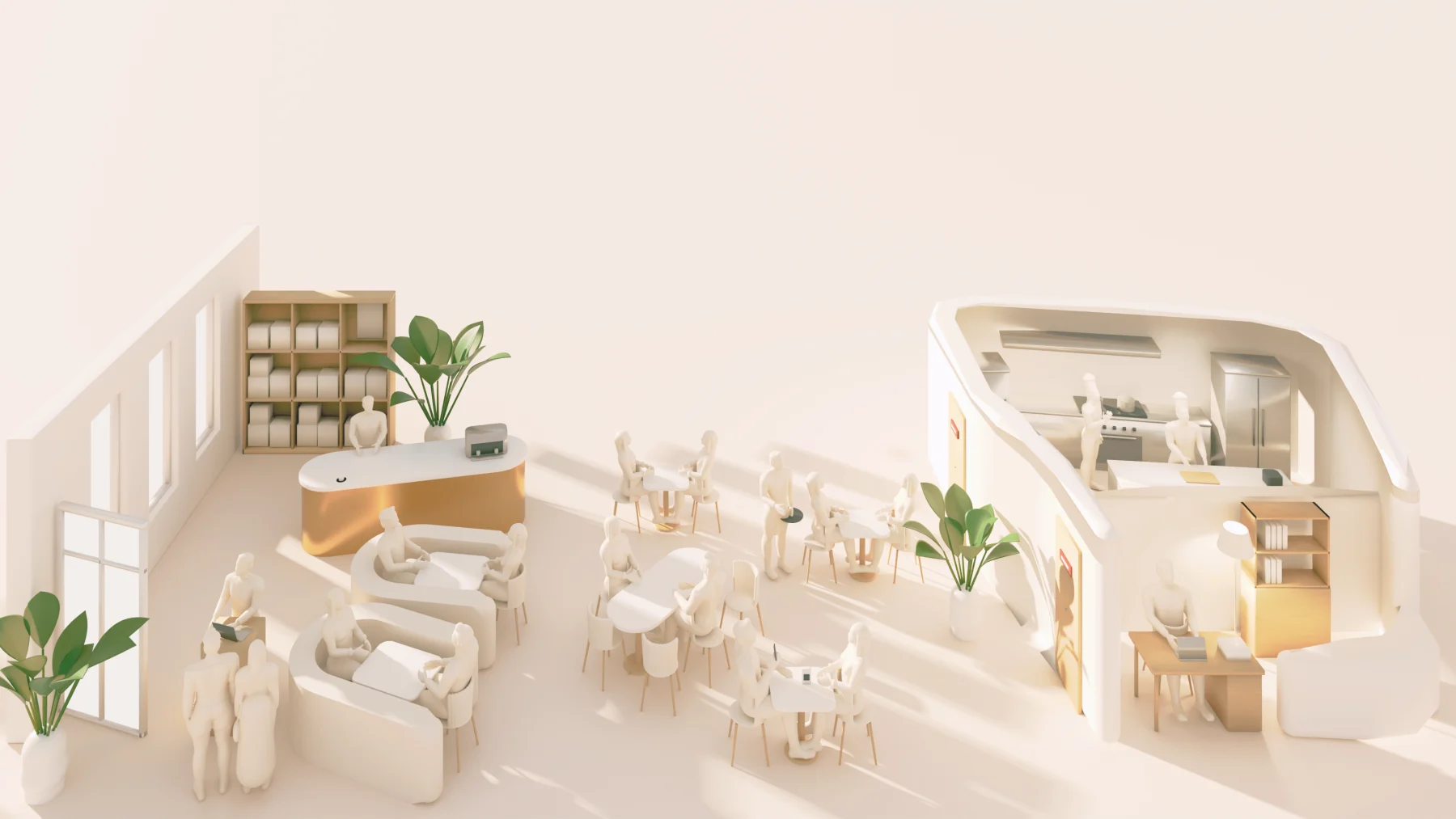
Background: a 3D model of a restaurant seen from above. Bookings at the entrance, guests in the middle, stock and the counter on the left, the kitchen and the office on the right. A line of light shows how every piece of data reaches the owner in the office by itself. The dots show where Zuppa helps.
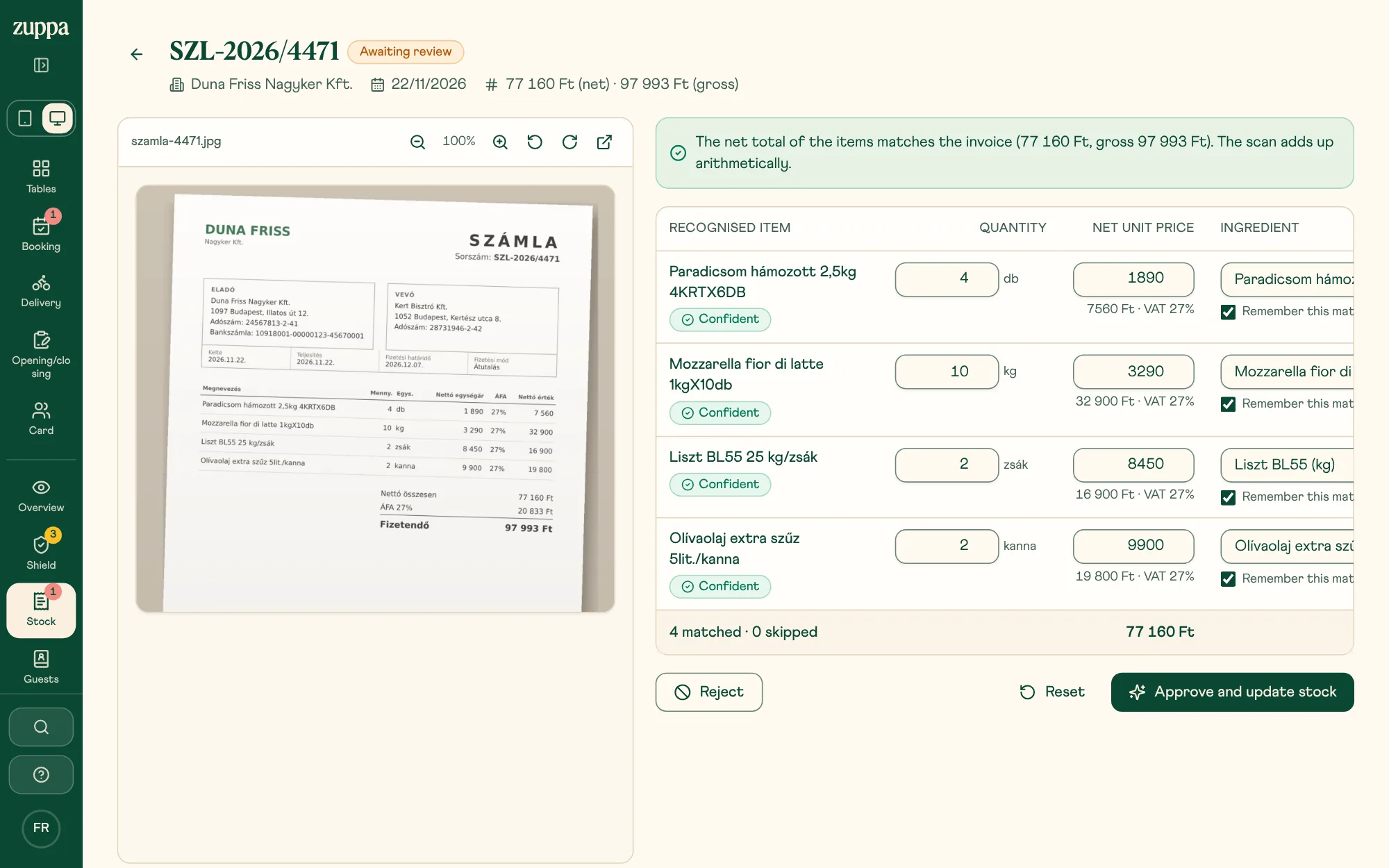
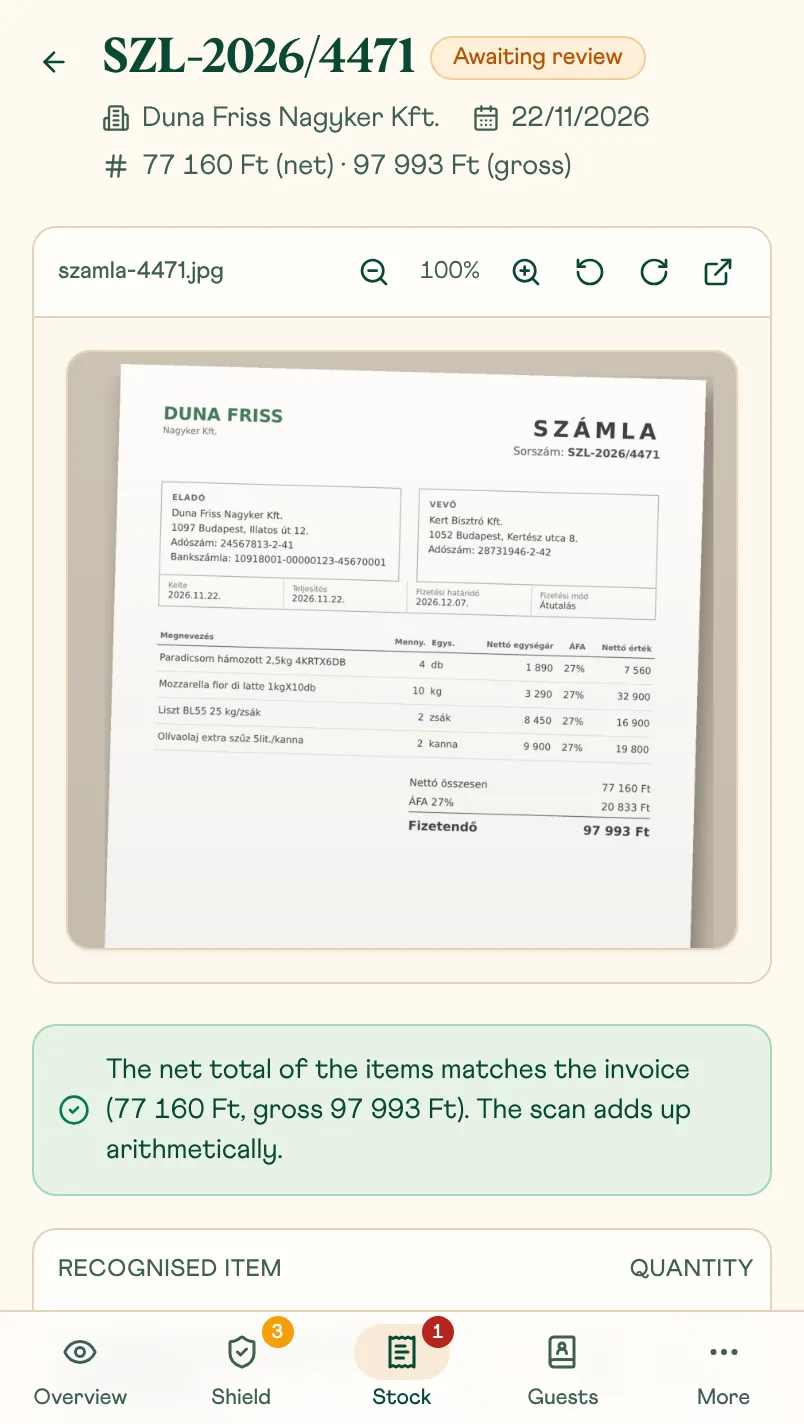
Stock: Invoice in, prices where they belong.
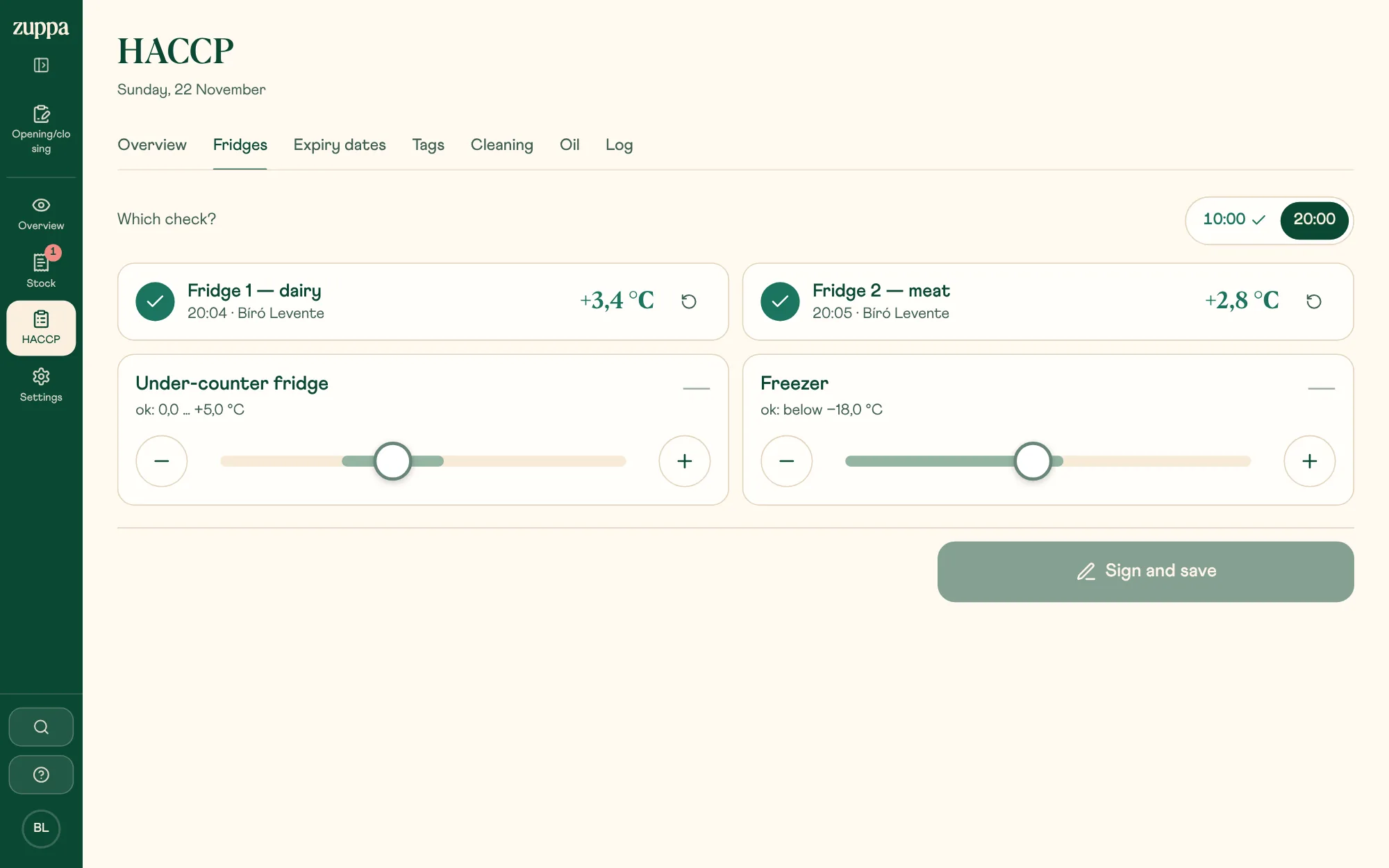
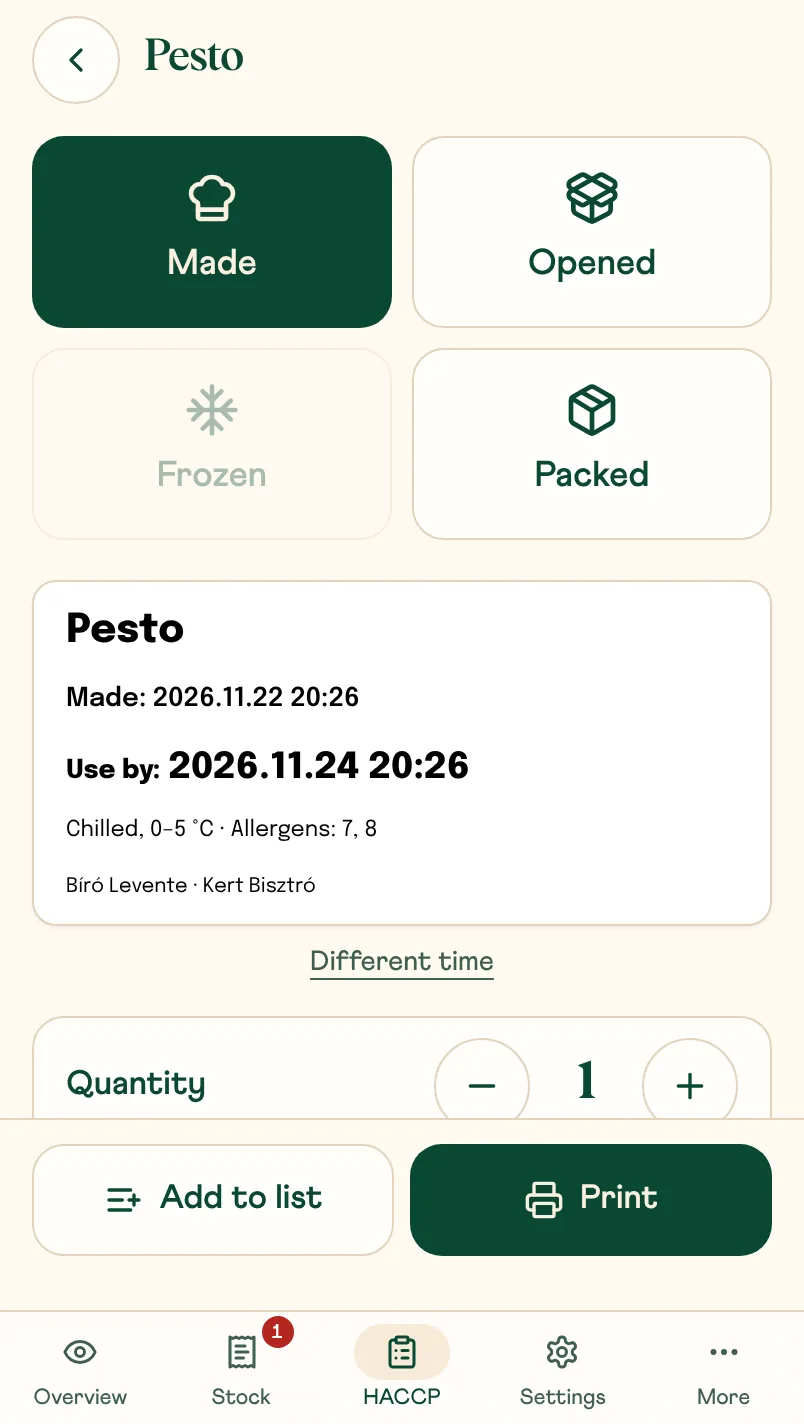
Kitchen: Mid-rush, and the fridge log is done.
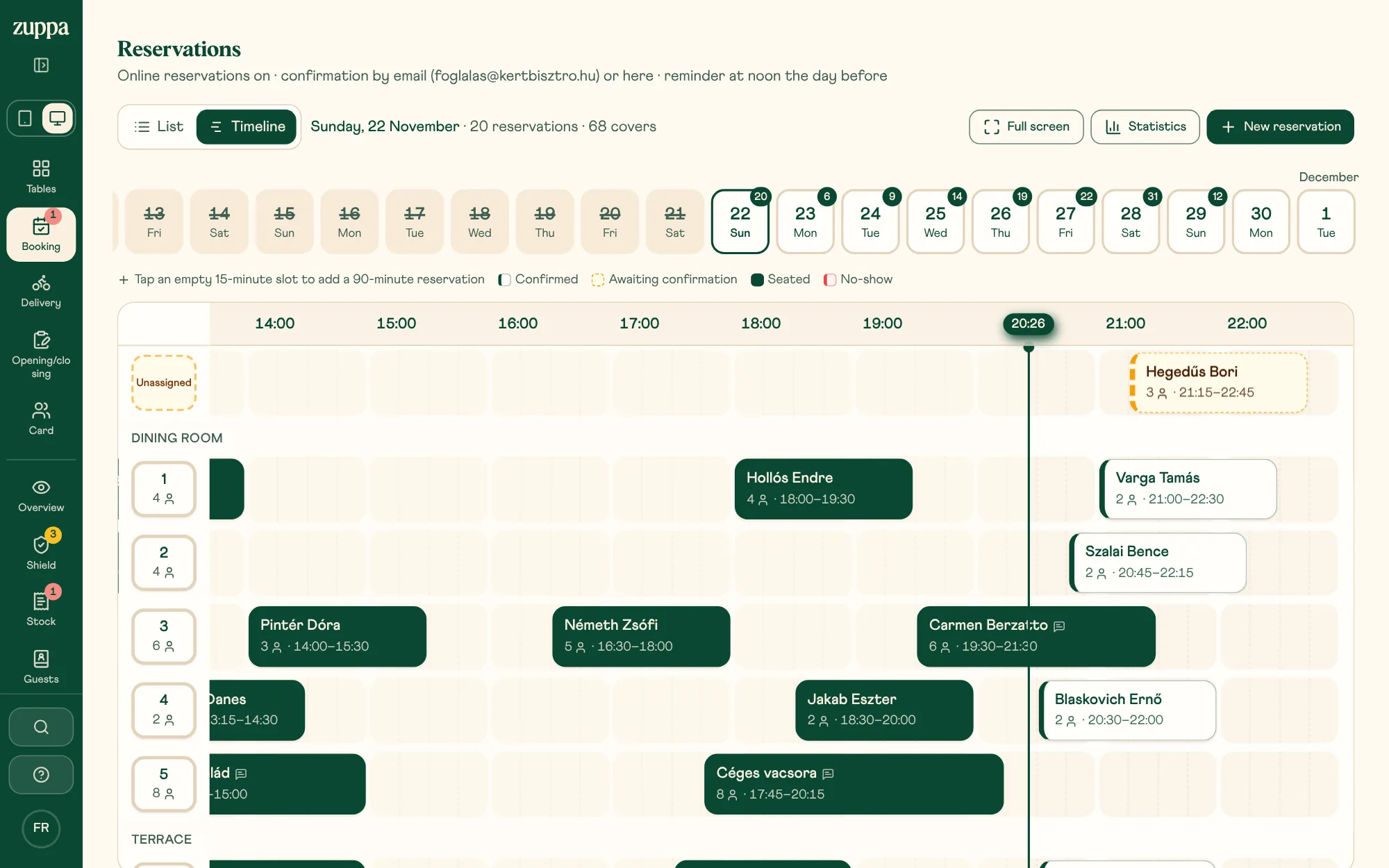
Counter: Full house, and every table sorted.
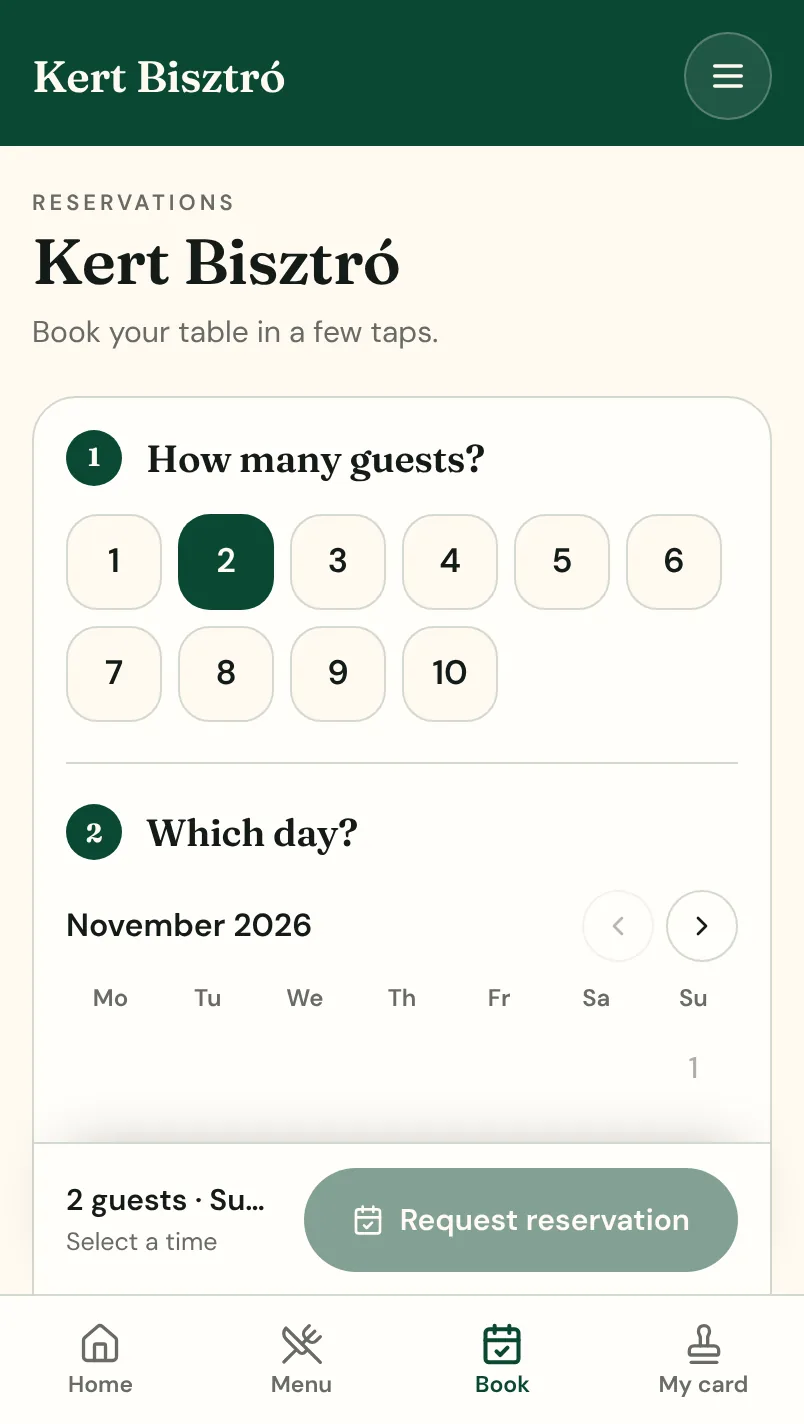
Bookings: Bookings come in on their own.
Guest: Tenth stamp, dessert is on the house.
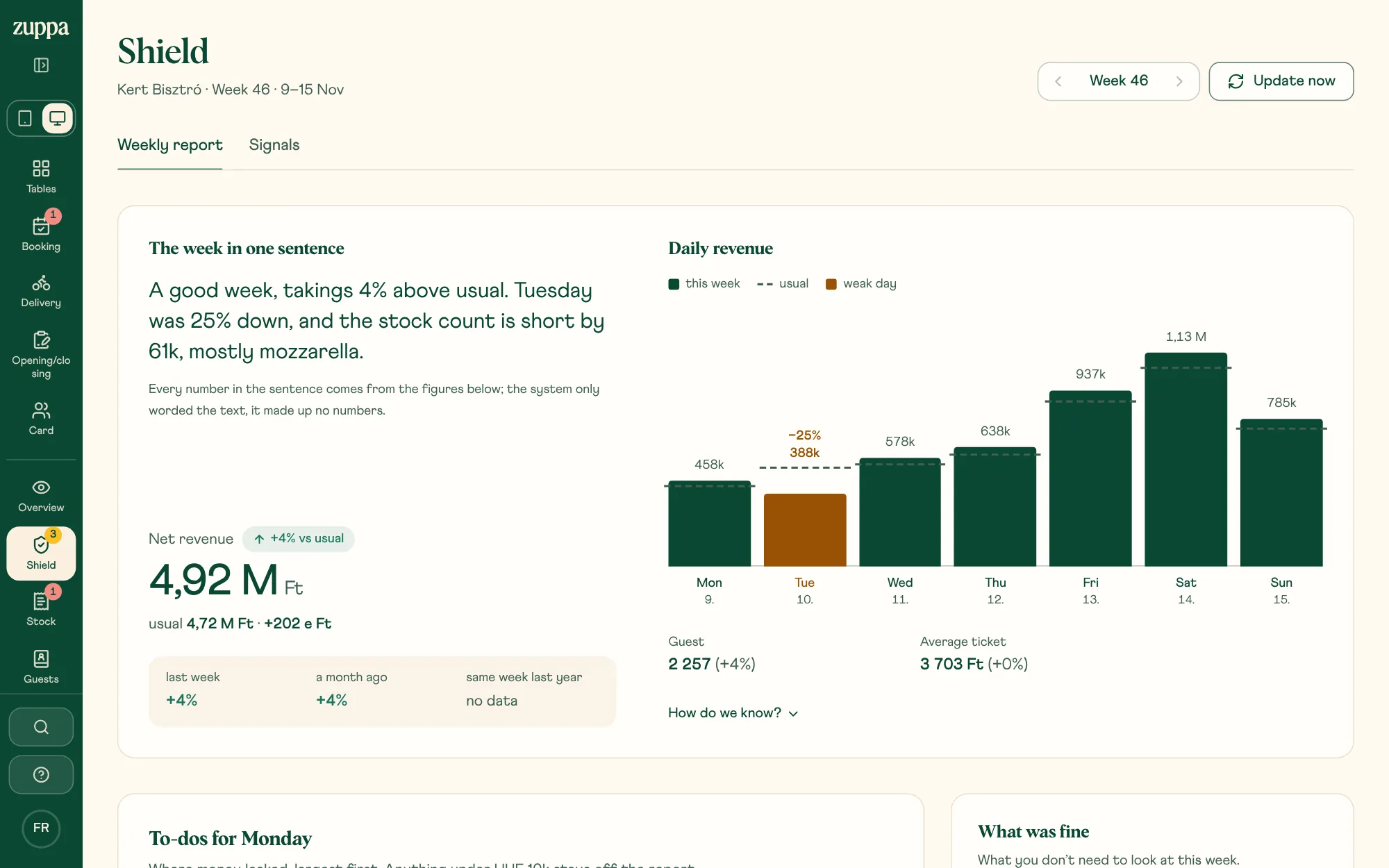
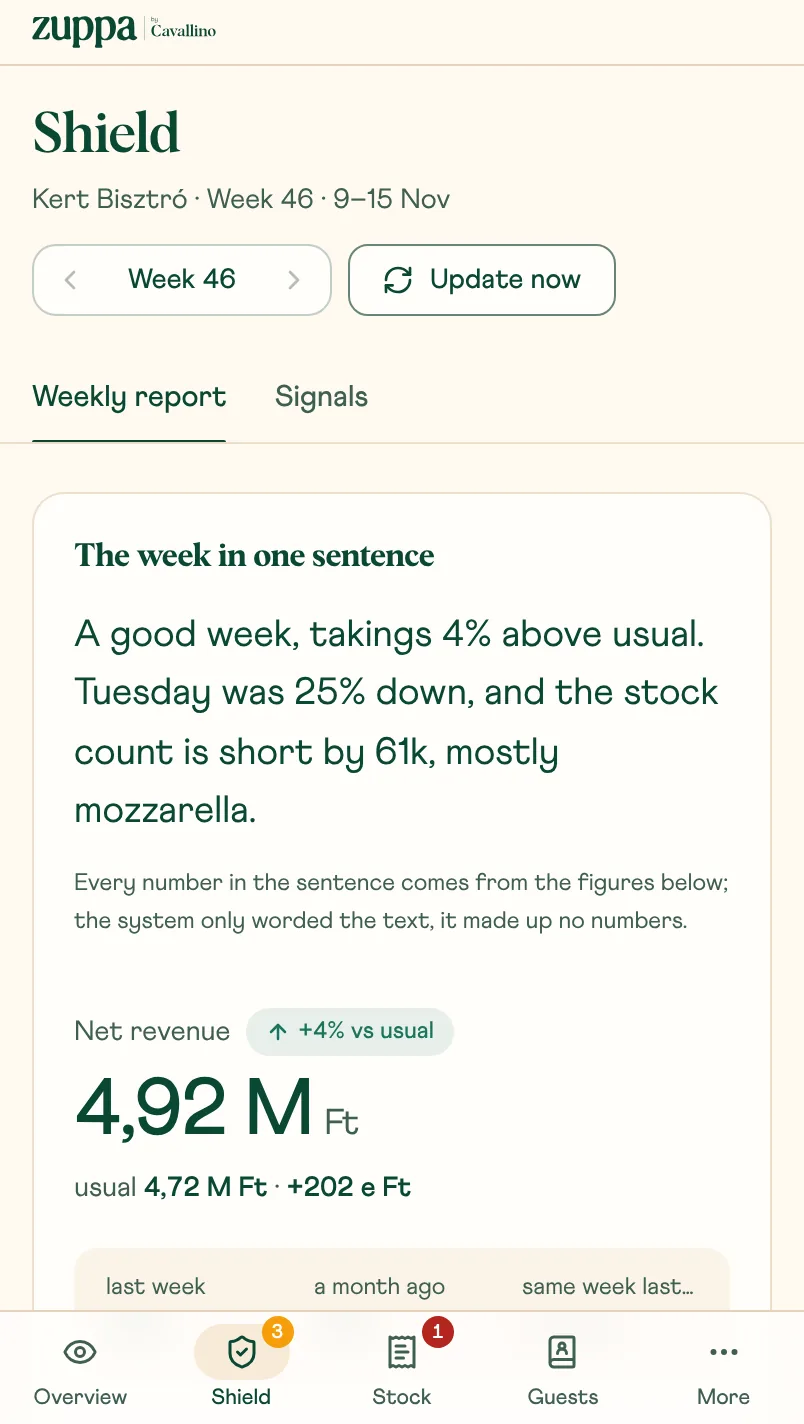
Office: The week’s numbers are ready when you sit down.
One systemfor your whole business.Menu, bookings, regulars, stock, HACCP and a weekly report in one system, next to your current POS.
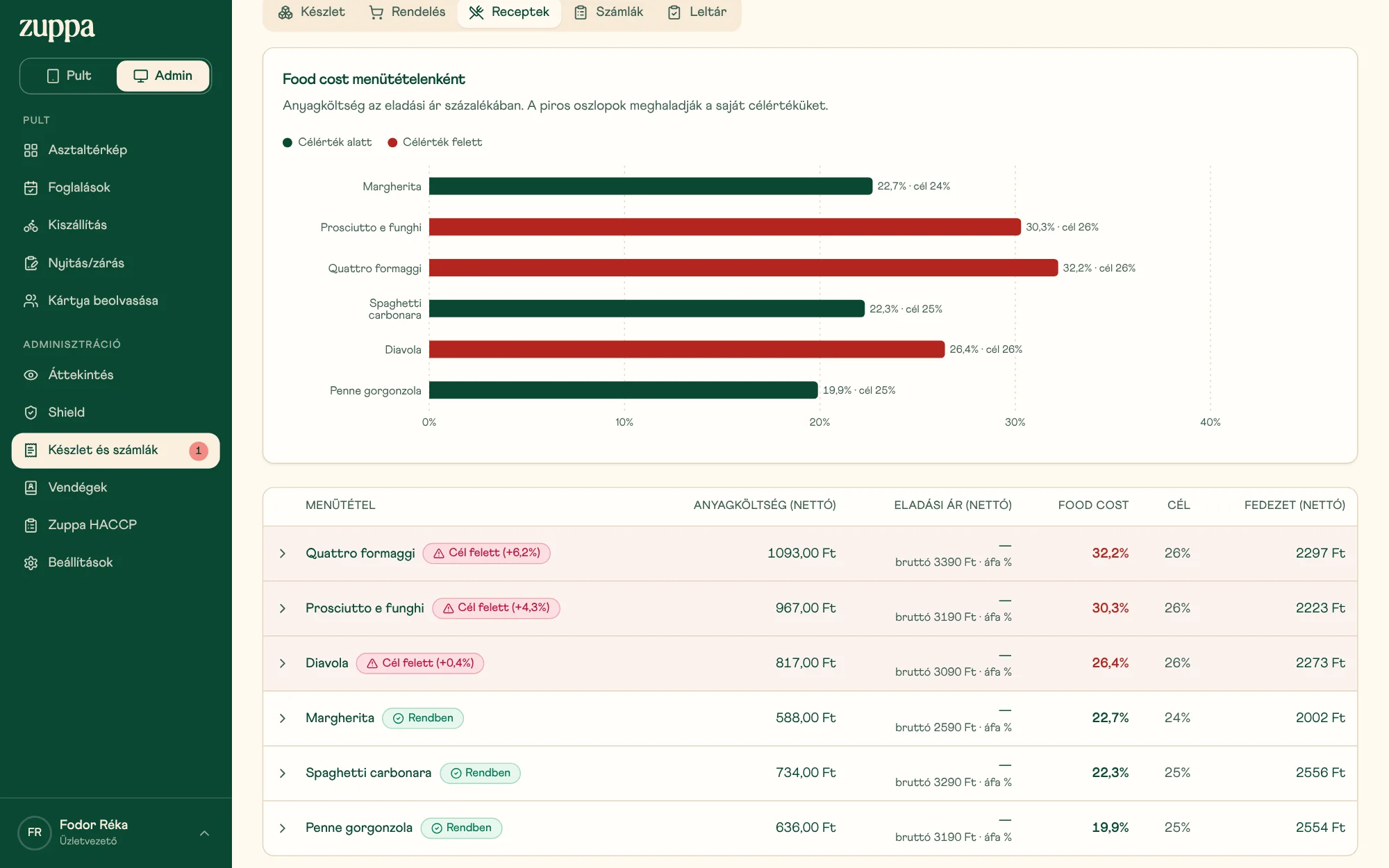
Photograph the supplier invoice and your stock updates. Say the recipe out loud and the portion cost is ready. Every dish shows its net food cost, and Zuppa tells you when something got pricier.
“Carbonara, one portion of spaghetti, 120 grams of guanciale…”
Spaghetti carbonara
Spaghetti120 g96 Ft
Guanciale120 g960 Ft
Egg yolk3180 Ft
Pecorino30 g300 Ft
Portion cost (net)1,536 Ft
Food cost30%
Suggested price (gross)6,490 Ft
Chef
Zuppa HACCP
Instead of the HACCP notebook: two taps and done.
Fridge log with reminders, colour-coded expiry dates, prep labels with one button, cleaning and frying oil signed off. Export with one click at inspection.
There were three routes, and in each you carried the data across.
Each is good at something. In Zuppa, one login covers everything from the menu to the weekly report, and every module sees the same data.
Till
The big, established systems
The POS is solid and has run reliably for years.
The work behind the POS still happens on paper and in Excel: invoices typed in line by line, costings by hand, a HACCP notebook.
Till
Payments
PurchasingRecipesHACCP
The new POS-first bundles
Quick to set up, with a modern interface, and the POS and payments come from one provider.
Purchasing, recipes and HACCP are mostly left out or only touched on. Yet that is where a plate’s margin is decided.
••••
HACCP
Log in••••
••••
••••
Copied by hand
The single-purpose apps
There is a good app for everything: one for bookings, one for HACCP, one for invoices, one for loyalty cards.
Many of them can be connected, but each is a separate company, a separate login and a separate monthly fee. When something doesn’t come through, it’s on you to work out where it got stuck.
In Zuppa they work together, next to your POS.
Nothing has to be moved from one place to another. Invoice prices flow into dish costs, expiry dates go to the kitchen, guests go onto your list. One login shows you all of it.
What kind of place do you run?
A pizzeria has different problems from a café. See what we suggest for your venue.
Whatever POS you pick before 2028, your kitchen data stays yours.
Under Hungary’s new e-cash register rules, almost every venue will have to change its POS by summer 2028. Zuppa works next to any of them, so your purchasing, recipes, HACCP records and guests stay with you, whichever you choose.
Frequently asked questions
If you can’t find an answer, call or write to us.
What is Zuppa?
Zuppa is complete restaurant management software. Your menu, bookings, regulars, stock, recipes, HACCP and weekly report are all in one place. It works on phone, iPad and desktop, next to your current POS.
What kind of venues is it for?
Restaurants, bistros, pizzerias, cafés, pastry shops, bars and seasonal venues. You pay per module, so you only buy what you use. If all you need is a POS, ours arrives in 2027.
Do I have to replace my POS?
No. Zuppa works next to your current POS. The Zuppa POS will be available from 2027, and if you switch to it then, all your data comes with you.
How is it different from several separate apps?
You never type anything twice. Invoice prices flow into each dish’s food cost, expiry dates onto the HACCP expiry list, and guests who book onto your guest list. One login, and everyone sees the same thing.
How much does it cost?
The online menu and table booking are free. Every paid module’s price is published on the Pricing page, excluding VAT, with no minimum term. Pay yearly and you get 12 months for the price of 10.
Shall we start?
A 20-minute call
We look at what you use now, and what is missing.
We set it up with you
We load your menu and recipes, set up HACCP and train your team.
Your numbers, every week
You take photos and approve them. Zuppa does the maths and puts the week together.